The KK 2.1.5 Multi-Rotor LCD Flight Control Board is a popular choice for building and controlling multirotor aircraft like quadcopters, hexacopters, and octocopters. Here’s a detailed overview:
Key Features
Processor: Atmel Mega644PA 8-bit AVR RISC-based microcontroller with 64k of memory.
Gyro/Accelerometer: Updated 6050 MPU system for improved stability and an auto-level function.
LCD Screen: Built-in LCD screen for easy setup and configuration.
Sensors: Includes a barometric pressure sensor for altitude measurement.
Power Supply: Supports input voltage from 4.8V to 6.0V.
Connectivity: Standard 6-pin AVR interface and signal from receiver at 1520us (5 channels).
Piezo Buzzer: For audio warnings when activating and deactivating the board.
Polarity Protection: Added polarity protection to the voltage sense header and fuse-protected buzzer outputs.
Applications
Multirotors: Ideal for quadcopters, hexacopters, octocopters, and other multirotor configurations.
Educational Projects: Great for learning about flight control systems and electronics.
DIY Projects: Perfect for hobbyists looking to build custom multirotor aircraft.
Setup and Usage
Binding the Receiver: Connect the receiver to the flight controller and bind them using the appropriate procedure.
Configuring the Board: Use the built-in LCD screen and software to select your craft type, check motor layout, calibrate ESCs, and radio.
Calibration: Calibrate the gyro, accelerometer, and other sensors using the LCD screen prompts.
Pre-flight Checks: Ensure all components are properly connected and functioning before flight.
Flying: Use the transmitter to control the multirotor, making adjustments as needed for stable flight.
Safety Precautions
Avoid Overheating: Be cautious when soldering connections to prevent overheating and damaging components.
Proper Handling: Handle the flight controller and components with care to avoid physical damage.
Secure Connections: Ensure all connections are secure and insulated to prevent short circuits and signal loss.
The KK 2.1.5 Multi-Rotor LCD Flight Control Board is a robust and user-friendly option for anyone looking to build or upgrade their multirotor aircraft. Its comprehensive features and easy setup make it a great choice for both beginners and experienced hobbyists.

 Bluetooth MP3 Decoding Board Module With Inbuilt SD Card Slot / USB / FM & Remote Control
1 × ₹335.00
Bluetooth MP3 Decoding Board Module With Inbuilt SD Card Slot / USB / FM & Remote Control
1 × ₹335.00 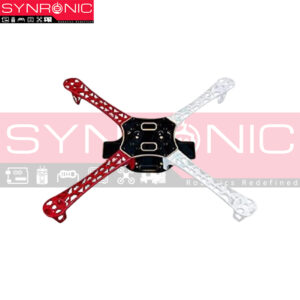 F450 Quadcopter Frame
1 × ₹649.00
F450 Quadcopter Frame
1 × ₹649.00 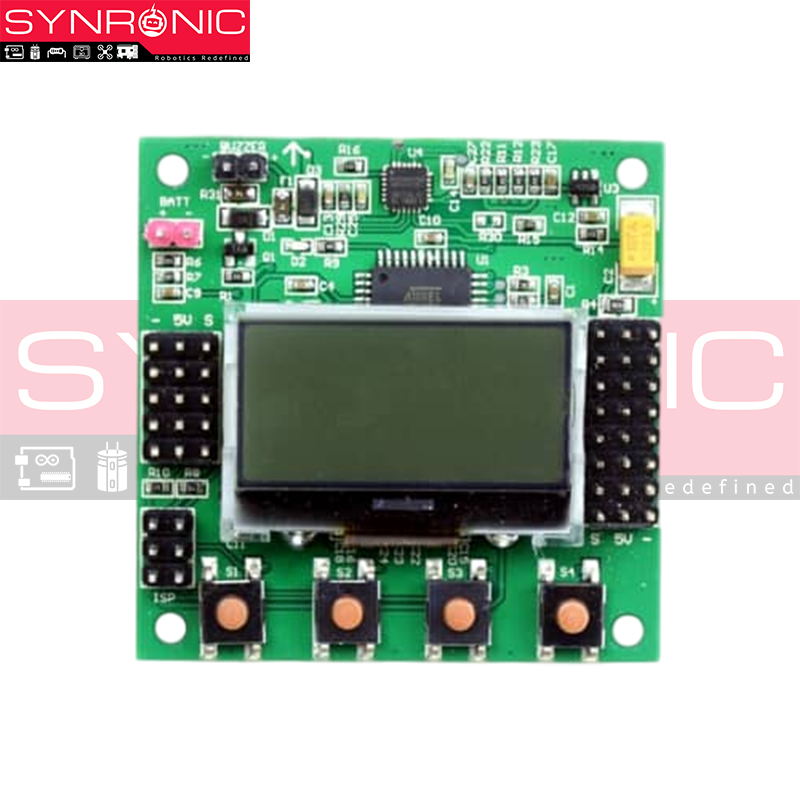


There are no reviews yet.